A cheat sheet for restoring Drupal backups from a Pantheon site:
Install Terminus
> brew install pantheon-systems/external/terminus
Setup the terminus secrets manager. (This requires composer to be installed on the Host OS.)terminus self:plugin:install terminus-secrets-manager-plugin
Before you perform a restore, here is a command for setting a private Pantheon variable to hold a Github repository access token.
terminus build:secrets:set penn-chas.live COMPOSER_AUTH \'{"github-oauth":{"github.com":"github_pat_-youracctualtoken"}}'
MD Formatted cheat sheet:
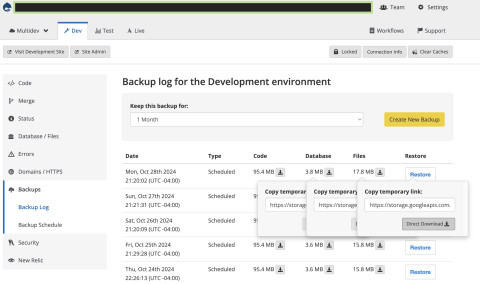
Download the backup files for "Files" and "Databases".
If you have a current site checked out via version control, you don't really need to worry about the "Code" backup.
It's probably not a bad idea to keep a local copy just in case.

cd ~/PROJECT_FOLDER/{pantheon_repo_name}
ddev config
ddev start
gunzip pantheon_name.sql.gz
ddev import-db --file=pantheon_databse.sql
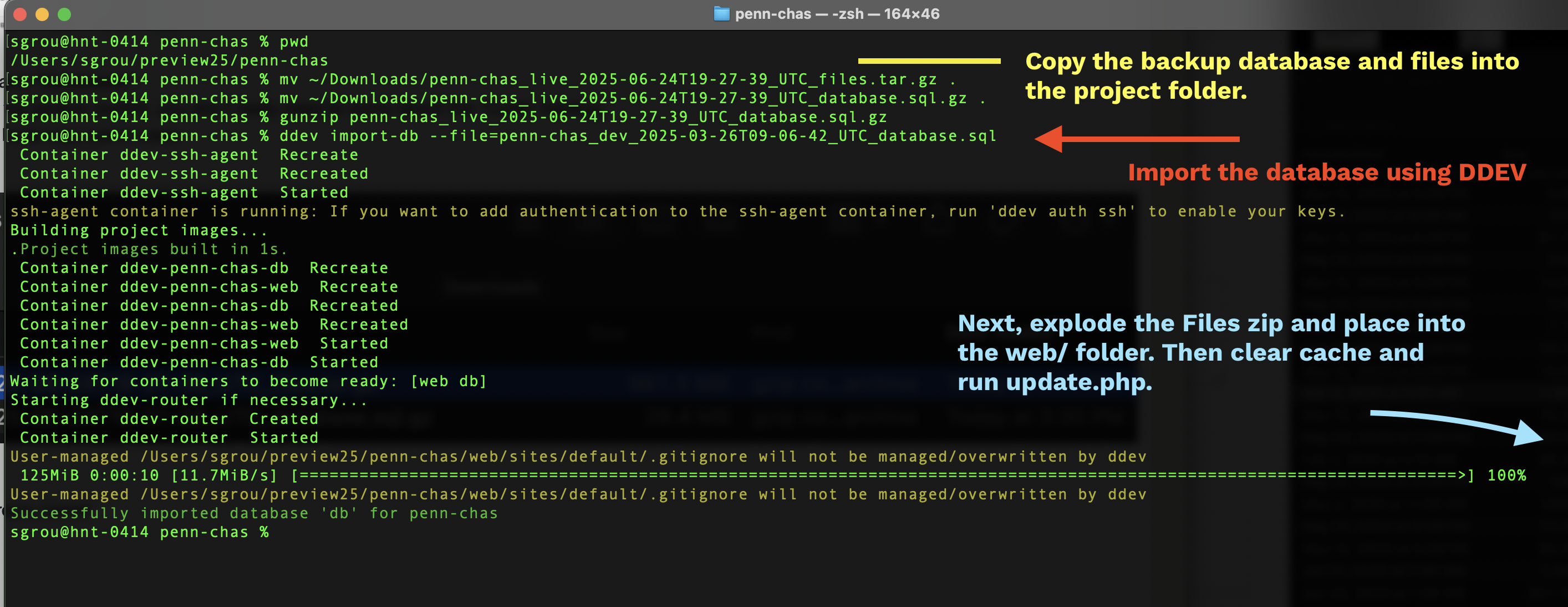
tar --strip-components=1 -xzf pantheon_code.tar.gz -C .
composer update
ddev drush updb
ddev drush cr
ssh ddev, cd web
../vendor/bin/drush pmu simplesamlphp_auth
../vendor/bin/drush uli
>> Account some_open_admin_account is blocked and thus cannot login. The user:unblock command may be helpful.
../vendor/bin/drush user:unblock some_open_admin_account
../vendor/bin/drush uli
DDEV NOTES:
It's important to understand how email rerouting works.
See: https://docs.pantheon.io/rerouting-outbound-email
// Reroute all emails on Dev, Test, Multidev, and Local.
// Do NOT reroute on Live.if (defined('PANTHEON_ENVIRONMENT') && PANTHEON_ENVIRONMENT === 'live') { $config['reroute_email.settings']['disable'] = TRUE;}else { $config['reroute_email.settings']['enable'] = TRUE; $config['reroute_email.settings']['address'] = 'site_admin@example.edu'; $config['reroute_email.settings']['message'] = TRUE; $config['reroute_email.settings']['description'] = TRUE;}
DDev automatically places this in the setting file:
// Automatically generated include for settings managed by ddev.$ddev_settings = __DIR__ . '/settings.ddev.php';if (getenv('IS_DDEV_PROJECT') == 'true' && is_readable($ddev_settings)) { require $ddev_settings;}
1. Prerequisites
A working DDEV environment.
Your Pantheon site cloned locally.
SimpleSAMLphp already present under private/simplesamlphp/.
2. Add the production domain to your local hosts file
This makes your local DDEV environment respond to the same hostname the IdP expects.
Example (macOS / Linux):
Ad
This ensures the IdP’s redirect and assertion POSTs will succeed, since they target https://dormitory.university.edu/....
3. Update SimpleSAMLphp configuration
private/simplesamlphp/config/authsources.php
Rewritten to return a PHP array (instead of $config = array(...)) and to explicitly declare:
entityID: https://dormitory.university.edu/simplesaml/module.php/saml/sp/metadata.php/default-sp
AssertionConsumerService: both HTTP-POST and HTTP-Redirect bindings pointing to the same production hostname.
idp: https://idp.university.edu/idp/shibboleth
Certificate and key filenames (default-sp.crt / default-sp.pem) referenced relative to certdir.
This lets your local instance act as the same SP as production — useful when testing SAML attributes.
⚠️ Note: If your SimpleSAMLphp version predates 2.x, ensure it supports returning an array instead of
$config.
private/simplesamlphp/config/config.php
Likely updated to:
Point baseurlpath to https://dormitory.university.edu/simplesaml/ (instead of a DDEV hostname).
Confirm certdir and loggingdir paths are correct within the container.
Possibly disable debug or caching differences for local development.
web/sites/default/settings.php
Usually updated to:
Include logic for loading the SimpleSAMLphp autoloader.
Adjust environment detection for DDEV.
Possibly update $settings['trusted_host_patterns'] to allow dormitory.university.edu inside DDEV.
(Optional) Adjust $config['system.logging']['error_level'] or $settings['container_yamls'][] entries for local debug.
4. Testing SSO locally
Run ddev start.
Visit https://dormitory.university.edu/simplesaml/.
Log in with your credentials.
Inspect attributes at https://dormitory.university.edu/simplesaml/module.php/core/authenticate.php?as=default-sp.
5. Notes
This approach mirrors production exactly, allowing you to debug attribute release and session mappings.
No IdP changes are required since your SP entityID and ACS endpoints match prod.
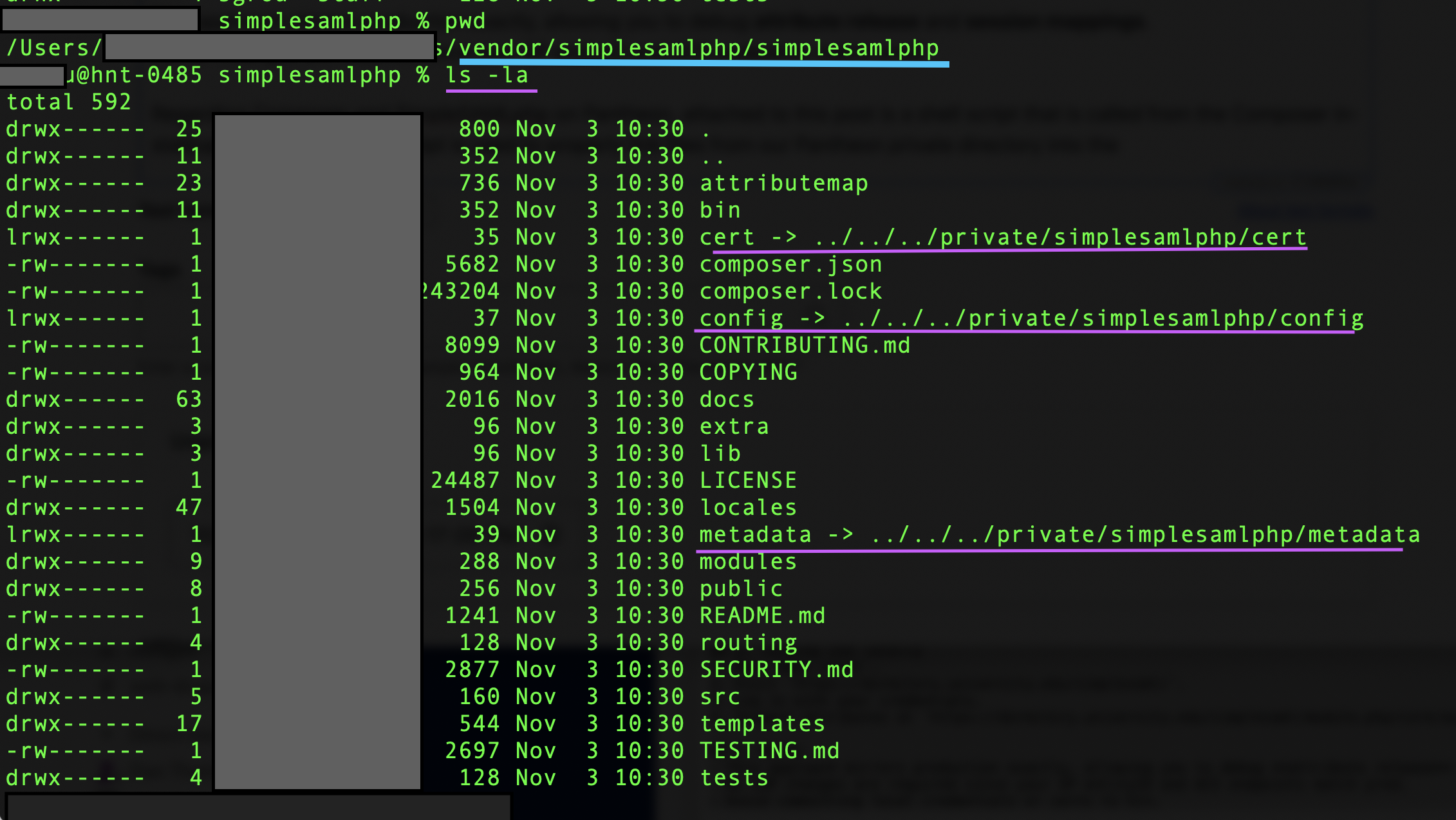
Regarding Composer and SimpleSAMLphp on Pantheon, attached to this post is a shell script that is called from the Composer install/update process. The script is used to properly link files from our Pantheon private directory into the simplesamlphp folder.
From the composer.json file: "scripts": { "post-install-cmd": [ "/bin/bash scripts/saml_config.sh" ], "pre-update-cmd": ["DrupalComposerManaged\\ComposerScripts::preUpdate"], "post-update-cmd": [ "DrupalComposerManaged\\ComposerScripts::postUpdate", "/bin/bash scripts/saml_config.sh" ] },