
Multidev Is Optional: When (and Why) to Use Pantheon Multidev in a GitHub + DDEV Workflow
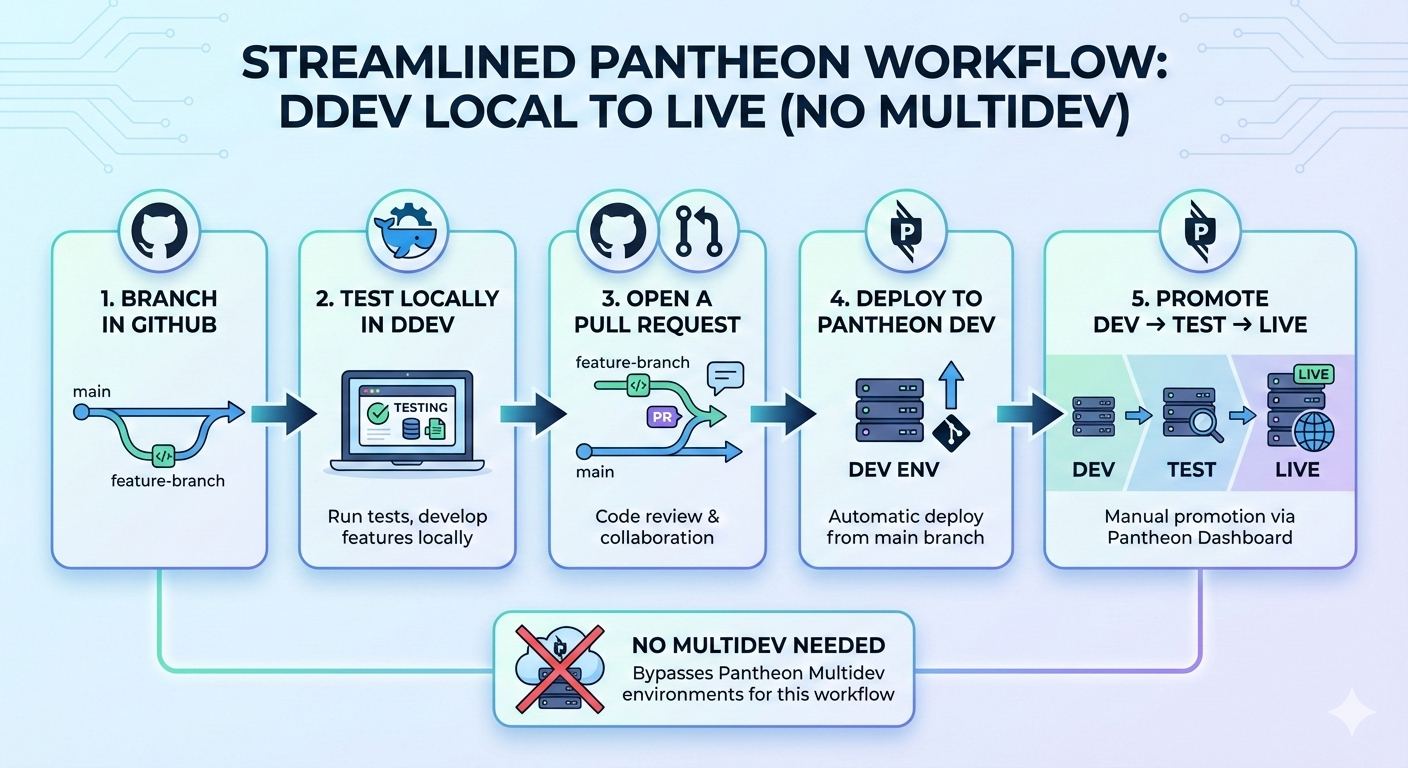
If you host Drupal on Pantheon and develop locally with DDEV, you can run a perfectly solid workflow without ever touching Multidev:
- Branch in GitHub
- Test locally in DDEV
- Open a pull request
- Deploy to Pantheon Dev
- Promote Dev → Test → Live
That’s already a big improvement over “push straight to Pantheon and hope.”
So where does Pantheon Multidev fit in?
Multidev is best thought of as an optional remote preview environment: a safe, disposable copy of the site you can use when local testing isn’t enough—or when you need a real URL for review.
The Baseline Workflow (No Multidev)
This is the default path for most day-to-day work:
- Create a feature branch in GitHub
- Pull down database + files locally (
ddev pull pantheon) - Make changes and test in DDEV
- Open a PR and get review
- Merge to
main - Deploy
mainto Pantheon Dev (Pantheon typically deploys Dev frommaster) - Promote Dev → Test → Live in the Pantheon dashboard
This covers most maintenance tasks, small features, and routine fixes.
What Multidev Adds (That DDEV + GitHub Can’t)
DDEV gives you speed and control. GitHub gives you collaboration and review.
Multidev adds one thing neither can: a Pantheon-hosted environment that behaves like production infrastructure.
That matters when you need to validate:
- Pantheon edge caching and varnish behavior
- Redirects, headers, TLS/HTTPS quirks, and CDN behavior
- Platform-level PHP settings, container differences, and file handling
- “Works on my machine” gaps that only show up on a real hosted environment
- A real URL for stakeholders to review (without sharing your local DDEV link)
Multidev is the “remote reality check.”
Multidev as an Optional Step
A good way to frame Multidev is:
Use it when you want a remote preview URL that doesn’t disrupt shared Dev/Test.
Multidev is not required for every change. In fact, forcing Multidev for every tiny tweak can slow teams down.
Instead, treat it like an escalation step:
- Local first (DDEV)
- PR review (GitHub)
- Multidev when risk or review needs justify it
- Then deploy to Dev and promote normally
When You Should Use Multidev
Here are the situations where Multidev pays for itself.
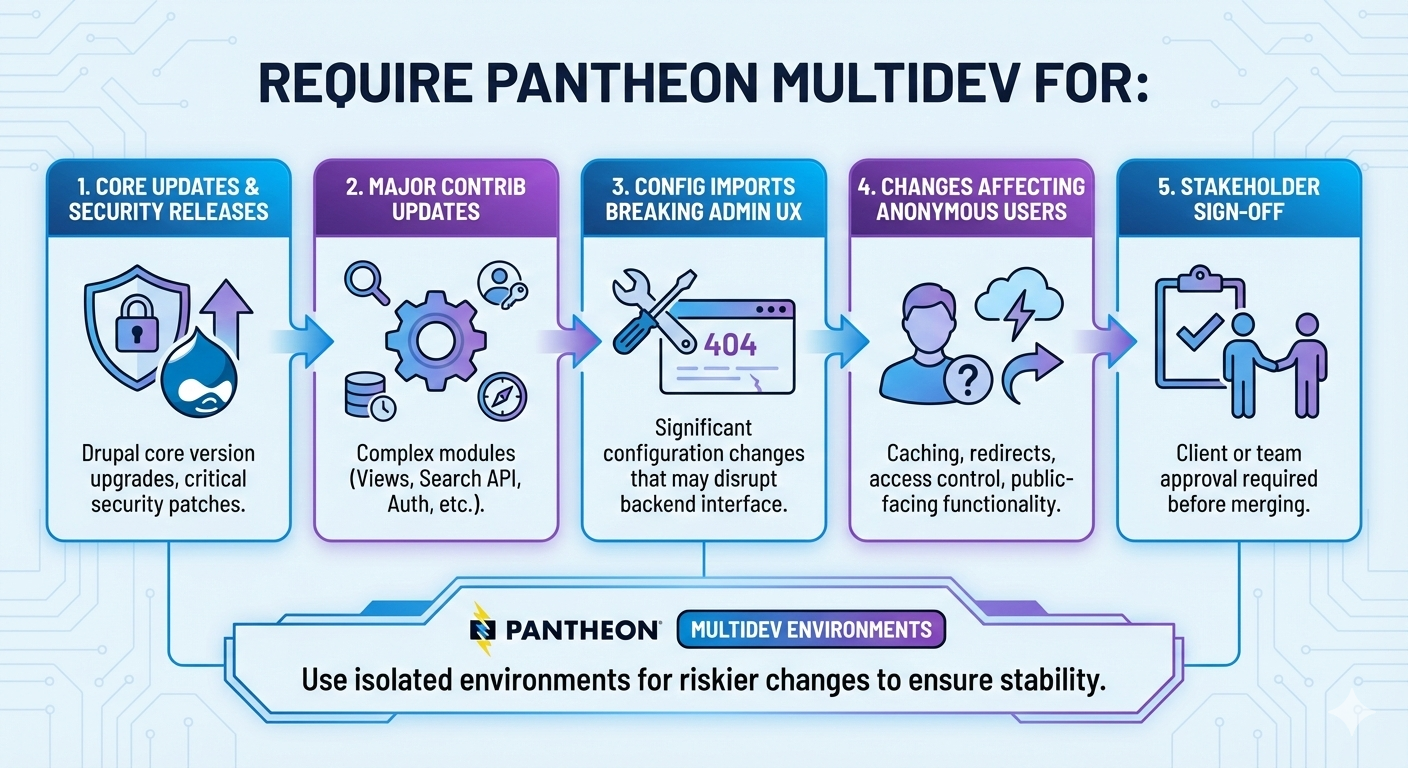
1) Risky changes
Use Multidev for anything likely to cause breakage:
- Drupal core updates
- Major contrib upgrades
- Composer dependency changes (especially with deep dependency trees)
- Large configuration imports
- Anything touching routing, access control, caching, authentication, or content rendering
A Multidev gives you a safe, production-like staging area to catch problems before they land in shared Dev.
2) “Platform behavior” changes
Local environments rarely mimic hosting platforms perfectly.
Use Multidev when the change depends on:
- redirects and rewriting
- caching behavior
- CDN/edge headers
- environment-specific settings
If you’re changing how the site behaves at the infrastructure boundary, Multidev is the right tool.
3) Stakeholder review that needs a real URL
Sometimes you need to share a link with:
- a content editor
- a product owner
- an accessibility reviewer
- someone who cannot or should not use your local DDEV URL
Multidev gives you a clean preview URL that can be closed when you’re done.
4) Avoiding “Dev environment collisions”
Shared Dev environments can become chaotic:
- multiple in-progress changes
- conflicting work
- “who deployed what?” confusion
Multidev keeps a feature isolated and prevents accidental overlap.
When You Can Skip Multidev
Most small changes are fine with:
- DDEV testing
- PR review
- Dev → Test → Live promotion
Skip Multidev for:
- small UI tweaks
- low-risk bug fixes
- straightforward template/theme adjustments
- well-understood changes that don’t touch caching/auth/routing
- internal refactors with limited surface area
If local testing is representative and you don’t need a remote preview URL, Multidev is optional overhead.
A Simple Decision Rule
If you want a lightweight team rule, use this:
Default: DDEV + GitHub PRs + deploy to Dev
Add Multidev when:
- the change is risky, or
- you need a stakeholder URL, or
- you need to validate Pantheon-specific behavior, or
- you want to isolate work from shared Dev/Test
If none of those apply, skip it.
The Two Paths Side-by-Side
Path A: No Multidev (default)
GitHub branch → DDEV test → PR → merge to main → deploy to Pantheon Dev → Test → Live
Path B: With Multidev (as-needed)
GitHub branch → DDEV test → push to Multidev for preview → PR → merge → deploy to Dev → Test → Live
Multidev doesn’t replace PRs or local testing—it supplements them when you need more confidence or a real URL.
Practical Notes (Pantheon specifics)
- Multidev environment names are limited (Pantheon truncates long names), so keep branch names short if you want them to match.
- Multidev is designed to be disposable: create it, use it, delete it.
- Don’t treat Multidev as your primary staging environment. Pantheon already gives you Test for that.
Bottom Line
You don’t need Multidev to have a good workflow.
But when you do need it, Multidev is exactly the right tool:
- a safe remote preview
- a production-like environment for validation
- a way to keep Dev/Test stable and uncluttered
Treat Multidev as optional—used intentionally—and it becomes a clean reliability upgrade without adding unnecessary process.